
By Doug Striker bio
I keep hearing from my IT and trainer friends at law firms, who tell me that their attorneys are really digging this work-from-home change. Of course, this shift also demands that attorneys work more independently, which is pushing their (often lax) tech skills to the limits.
Enter remote training and learning
Remote training gives your law firm the power to train each and every employee regardless of location, be it in one of your worldwide offices or in their home office.
What is remote learning?
Remote learning, also referred to as distance learning, gives learners, who aren’t in a physical location for in-person education, access to online training materials.
It’s become a go-to training method for law firms, as it enables them to train every employee on the necessary topics regardless of location. And, thanks to training solutions like learning management systems (LMS), it’s simple for firms to implement.
How to run an impactful remote learning program
Although remote learning has its perks (cost, efficiency, convenience), it’s a form of learning that you must prep for and monitor. Consider these four strategies:
- Deliver a blended learning experience
If there’s one thing remote learning sometimes lacks, it’s interaction. In a face-to-face training session, there are other employees and instructors; it’s a group activity. To overcome this disconnect, lean into blended learning. Offering the best of both worlds, blended learning takes traditional training methods and mixes them with modern, online techniques.
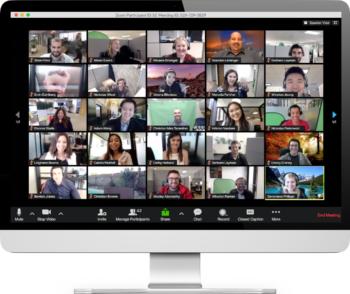
Face-to-face, in-person learning can be adapted into, and replaced by, webinars and ILT sessions. This means your business can reach all of your remote learners, while also delivering an interactive learning experience. For example, you can plug Zoom into your LMS to deliver “face-to-face” learning opportunities. Your employees can ask questions, chat with one another (if you wish), and instructors can give instant feedback and answer queries. It’s the perfect combination of old and new training techniques.
- Think about accessibility
When learners are out of the office, there’s a certain amount of control you, as a trainer, lose. Like, for example, the device your employee trains on. Depending on their location, their preferred method of training could be via a smartphone. So, when creating your remote learning strategy keep this top of mind. Mobile-friendly learning has two aspects that you need to be aware of. Firstly, make sure that the learning management system your firm purchases works on a mobile or tablet device, or has its own iOS app. Secondly, your law firm’s training content needs to be mobile-appropriate too, by either designing it with the help of an authoring tool, or just keeping your courses short and digestible. This makes the whole training process more accessible and learner-friendly.
- Keep learners engaged
Out of sight is too often out of mind; this can easily happen when training remotely. An instructor isn’t there in-person to encourage the learner, meaning it’s often up to the employee to choose when to train. Again, having a great LMS can tackle any issues with remote learning engagement.
One of the most effective features to encourage training is notifications. These are simple to set-up, so when a learner is enrolled in a course, they are sent an email notification saying, “Hey, it’s time to train.” You can then choose to send reminder emails that reiterate looming due dates and prompt learners to finish their courses.
Ushering learners into your LMS to train doesn’t have to be a burdensome task either. With Gamification, training can be an engaging and enjoyable experience for your remote employees. They can gain points, level up, earn badges, and even compete on a leaderboard to see who’s the top learner.
- Make it social
We mentioned above that employees doing remote learning can feel siloed away, on their own. Therefore, it’s a good idea to create a more social learning environment so that employees can share their experiences and learn from one another.
There are a couple of ways to make remote learning more social: a dedicated Slack channel, weekly ILT’s, and so on, but our favorite is through a forum in your LMS. With forums, you can make learning a talking point. Your employees can interact with their instructors and other team members, ask questions about training and sharing resources. All this makes learning a more social experience.